

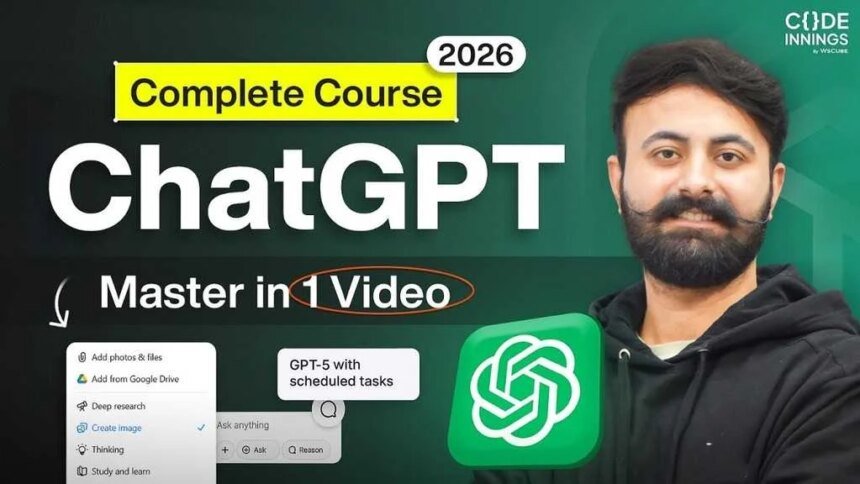
Are you ready to unlock the full power of ChatGPT? Whether you’re a complete beginner trying AI for the first time, or a developer looking to supercharge their workflow—this guide will explain everything from setup to advanced tricks in an easy-to-follow manner.
- Getting Started with ChatGPT: Access and Setup
- How to Access ChatGPT
- Creating or Logging into Your Account
- Understanding ChatGPT Plans: Free vs. Paid
- Mastering the ChatGPT Interface: A Step-by-Step Walkthrough
- Voice Mode: Talk to ChatGPT Like a Friend
- Managing Chats and History for Better Organization
- Exploring Advanced Tools: Library, Canvas, and More
- Customizing ChatGPT: Settings and Personalization
- Notifications, Apps, and Connectors: Integrate Your World
- Data Controls and Security: Stay Safe
- Upgrading to Plus: Step-by-Step Guide
- Building Custom GPTs: Your Personal AI Assistants
- Prompt Engineering: The Secret to Pro-Level Outputs
- Integrating OpenAI APIs: For Developers
- Agent Builder: Automate Workflows with AI Agents
- Conclusion: Level Up Your AI Game
ChatGPT isn’t just a chatbot—it’s a powerful tool for coding, content creation, research, and many other tasks. By the end of the article, you’ll literally feel like a pro—saving time and boosting productivity.
In this article, we’ll cover the basics, explore key features, and share practical tips based on real-world use. Plus, there’s a full video course embedded below, perfect for visual learners.
Getting Started with ChatGPT: Access and Setup
ChatGPT, powered by OpenAI, is your gateway to AI-driven conversations. It’s free to start, but upgrading unlocks more power. Let’s see how to get started.
How to Access ChatGPT
Open your browser and go to chat.openai.com. No downloads required—just type your query and get started!
If you’re on mobile, get the app from the App Store or Google Play and enjoy on-the-go access.
Creating or Logging into Your Account
First time? Click “Sign up” and use your Google account for quick setup—secure and hassle-free.
Already have an account? Log in to save your chats and unlock features like memory.
Tip: You can test basic queries without logging in. But signing in allows you to track history and customize responses.
Understanding ChatGPT Plans: Free vs. Paid
ChatGPT offers different plans to suit your needs.
Free Plan Overview:
- GPT-5 access (limited usage).
- Basic file uploads, image generation (slow), and deep research.
- Perfect for testing if ChatGPT fits your workflow.
Plus and Pro Plans Benefits:
Upgrade to the $20/month (Plus) or Pro plan for more:
- Unlimited messaging and faster responses.
- Advanced features like expanded memory, priority access to new models, and custom GPTs.
- Ideal for heavy users—developers will get better code editing in Canvas.
Pro Tip: Try it for free first, then upgrade once you hit the limits. Pricing check on openai.com.
Mastering the ChatGPT Interface: A Step-by-Step Walkthrough
The interface is intuitive, but knowing every corner boosts efficiency.
Key Elements of the Dashboard:
- Prompt Box: Type queries here. Add photos, files or think aloud for better results.
- Plus Button Options: Upload images/docs, generate images, enable “Think” mode for reasoned responses, or dive into deep research/study modes.
- Sidebar Navigation: Access recent chats, projects, and the image library.
Using Multimodal Features
ChatGPT handles text, images, and files. Upload a UI mockup and ask, “Build a Flutter code for this design.” It will refine based on the visuals—perfect for developers.
Voice Mode: Talk to ChatGPT Like a Friend
Voice mode makes ChatGPT a conversational companion.
How to Activate and Use Voice:
- Click the microphone icon, dictate prompts.
- ChatGPT will transcribe and respond naturally.
- Switch to Advanced mode for real-time chats.
Example: “Explain Flutter app development in simple terms.” It will answer verbally, making learning hands-free.
Tip: Perfect for multitasking—listen to explanations while you code.
Managing Chats and History for Better Organization
Keep conversations tidy and maintain productivity.
Temporary Chats for Privacy:
Turn on Temporary mode for one-off queries—the history isn’t saved, and models aren’t trained. Useful for sensitive topics.
Searching and Accessing Past Chats:
Use the sidebar’s search bar to find old conversations. Pro feature: Resume exactly where you left off, even months later.
Tips:
- Archive chats to reduce clutter and avoid deleting them.
- Create Projects to group related chats (e.g., one for coding, one for research).
Exploring Advanced Tools: Library, Canvas, and More
Go beyond the basics and explore these powerful features.
The Library: Your Image Hub
All generated images are saved here. Use them for reference in new chats, such as: “Improve this UI mockup.”
Canvas for Code and Content
Canvas formats output like a code editor or document. Paste code, edit in real-time, and see a preview—perfect for debugging Flutter apps.
Example: “Open this code in Canvas and optimize for performance.” Changes will appear live.
Customizing ChatGPT: Settings and Personalization
Personalize ChatGPT and feel like it was made specifically for you.
General Settings:
Adjust themes, language, and voice preferences. Set the default to English so there’s no auto-switch.
Personalization Options:
- Memory: ChatGPT will remember your preferences over time and provide better responses.
- Custom Instructions: Describe your role, such as “I’m a Flutter developer—focus on code tips.”
- Personality: Choose between mentor-like (patient) or consultant-style (direct).
Tip: Enable chat history references so you get answers with context and don’t have to repeat them over and over again.
Notifications, Apps, and Connectors: Integrate Your World
Connect ChatGPT with your tools and create seamless workflows.
Managing Notifications:
Task completion alerts via email or push are handy for short-term research.
Linking Apps like GitHub:
Connect to GitHub and review the repo: “Review my latest Flutter project.” This will suggest direct improvement.
Other Connectors:
Google Drive, Gmail, Spotify—automate tasks like playlist suggestions.
Data Controls and Security: Stay Safe
Keep your information safe.
Privacy Settings:
Toggle data sharing for model training. You can export or delete chats anytime.
Security Features:
By enabling two-factor authentication and managing trusted devices. Set parental controls for family use.
Upgrading to Plus: Step-by-Step Guide
Want more features? Follow these steps:
- Settings > Upgrade Plan.
- Choose Plus or Pro.
- Add payment if free trial credits are available to start.
Differences: Paid plans offer faster image generation, agent mode, and unlimited deep research.
Building Custom GPTs: Your Personal AI Assistants
Create specialized ChatGPT versions that work for you.
What Are Custom GPTs?
Bots tailored for specific tasks, like “Flutter Debugger” that fix code bugs.
How to Create One:
- Sidebar > GPTs > Create.
- Described by: “Senior Flutter developer with 5+ years experience for debugging.”
- Refine the role, instructions and upload files.
Example: Use it for code review—upload the project and get optimized suggestions.
Tip: Share it publicly or keep it private. Test variations for best results.
Prompt Engineering: The Secret to Pro-Level Outputs
Great prompts = great results. If you master the prompts correctly, efficiency can be 10x.
Basic Tips for Effective Prompts:
- Be specific: Just say “Write code”. Bolho: “Write Flutter code for a login page using Material 3.”
- Add examples: “Like this sample [upload image].”
Using Frameworks Like CRISPE:
- Context: Provide background.
- Role: Assign Karo, like “Act as a senior developer.”
- Insight: Share details.
- Statement: Define the task.
- Personality: Set the tone and be direct.
- Experiment: Speak for variations.
Example: Debug code by uploading files/images for multimodal analysis.
Integrating OpenAI APIs: For Developers
Get ChatGPT from just chat.
ChatGPT vs. OpenAI API:
- ChatGPT is an interface.
- API allows you to embed AI in apps (jaise custom chatbots).
Setting Up APIs:
- Log into platform.openai.com.
- Generate API key under Billing (first add credits).
- Models: GPT-4o choose Karo for speed/cost balance.
Tip: Monitor usage in Dashboard—starting with $5 credit.
Agent Builder: Automate Workflows with AI Agents
Build custom agents to automate tasks—like customer service flows.
How to Use Agent Builder:
- Access from Dashboard (credits required).
- Drag-and-drop nodes using: loops, approvals, etc.
- Export the code for integration.
Example: Create a code review agent that automatically checks GitHub pulls.
Conclusion: Level Up Your AI Game
Now you have a roadmap to using ChatGPT pro-level—from basic chats to API integrations and custom agents. Start small, experiment with prompts, and upgrade when needed. This tool can transform your coding, learning, and daily tasks.
Tip for readers: Which feature did you find most exciting? Comment—prompt engineering deep-dive next? If you found the guide helpful, share it and subscribe for more AI tips. Keep learning!