Hello and welcome! I’m Ghulam Muhiuddin, and I’ve been helping businesses and individuals build their online presence for the past 5 years.
A few years ago, when we built websites, we had to manually create everything using WordPress and coding, which was very time-consuming. But times have changed.
Now, with the help of AI, anyone can create their own website in just a few minutes. Some AI tools are so powerful that they can even create a professional business website for you in just a few minutes.
The problem is that many people don’t know how to build their own website for free.
In today’s article, I’m going to tell you how you can build your own website with AI. I’ll tell you about the best free no-code website builder. While there are many AI tools on the market for website creation, some important features are paid.
But today I’m going to share an AI no-code website builder that lets you create your website in just a few minutes—and the best part is that it’s completely free.
What is Z.AI and How Does It Work?
GLM Flow Z.AI is a new generation AI website builder that is completely transforming web design. Unlike traditional drag-and-drop builders, where you have to do a lot of manual work, Z.AI generates an entire website from just a simple text prompt.
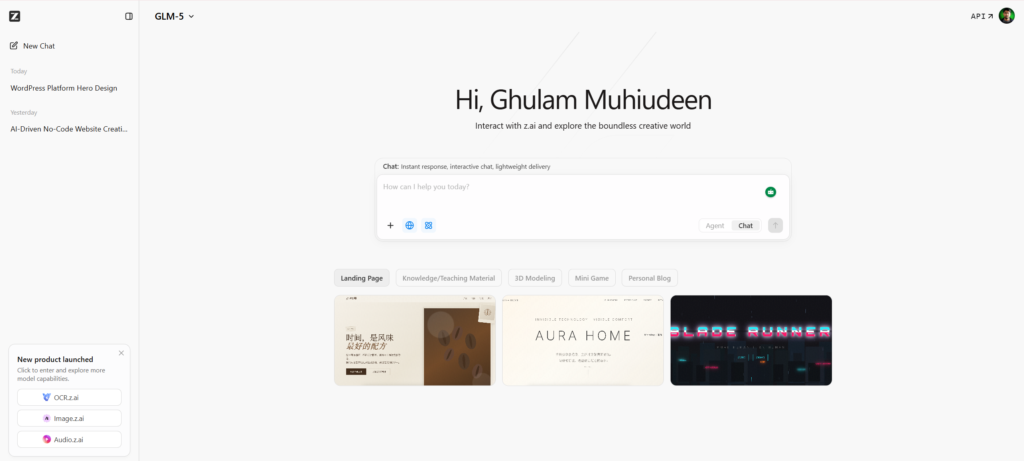
GLM Flow is a chat model that is original to Z.AI. It is a Chinese AI chatbot website, just like ChatGPT, Claude AI, and other AI chatbots. It is completely free.
Its technology system analyzes your input and understands the purpose of your website, what type of content is needed, and what functionality is required. The AI then automatically creates the proper layout, selects the best color scheme, creates relevant content sections, and even generates placeholder images according to Hatta’s brand vision.
Key Features of Z.AI
- Natural language processing that understands complex website requirements
- Automatic generation of responsive designs that work on all devices
- Built-in SEO optimization suggestions based on your content
- Integration capabilities with popular third-party services
- Real-time preview and editing capabilities
A few days ago, I created a portfolio website for a freelancer. The client’s requirement was that he needed a website for his photography portfolio, but he didn’t want a WordPress website, but a custom website. So, I used Z.AI .
I just gave a prompt and the AI automatically designed a stunning gallery layout, added a contact form, suggested meta descriptions, and even generated the entire website code. I downloaded the template, prepared the code, and gave it to the client. Then the client provided their hosting – I went to the hosting, opened the Public HTML folder, and uploaded all the code there. After that, the website went live.
Z.AI is so easy to use. With its help, you can create websites for your clients and can also easily create one for yourself.
Z.AI vs Other AI Website Builders
AI website builders have come a long way in the market in recent years. This comparison is given so that you can understand how Z.AI is different from other AI website builders. It will help you in making a decision as to which AI website builder you should choose according to your specific needs.
|
Feature | Z.AI |
Wix ADI |
Zyro |
|---|---|---|---|
|
AI Generation Speed |
Very Fast |
Fast |
Fast |
|
Customization |
High |
Medium |
Medium |
|
Free Plan |
Generous |
Limited |
Basic |
|
SEO Tools |
Built-in |
Available |
Basic |
|
Learning Curve |
Minimal |
Low |
Low |
Earlier, when I used to design websites using WordPress or coding, clients used to pay a lot. But times have changed now—clients know that AI is here and websites can be built with AI tools, so they’re not willing to pay more.
They say, “Let it be built with AI,” which creates a lot of issues. If we use paid tools or expensive website builders, managing the budget becomes difficult.
That’s why Z.AI plays the best role here, because it’s a free website builder and very easy to use. I myself consistently use Z.AI for client projects.
The reason is simple: when you need a fast website without a complex interface, this is perfect. While some AI tools create a random design based on a prompt, Z.AI creates a proper, professional website with a simple prompt.
How to Create a Website Using Z.AI Step by Step
Creating a website with Z.AI is very easy. You just have to follow a few simple steps and your website will be ready.
Step 1: Define Your Website Purpose
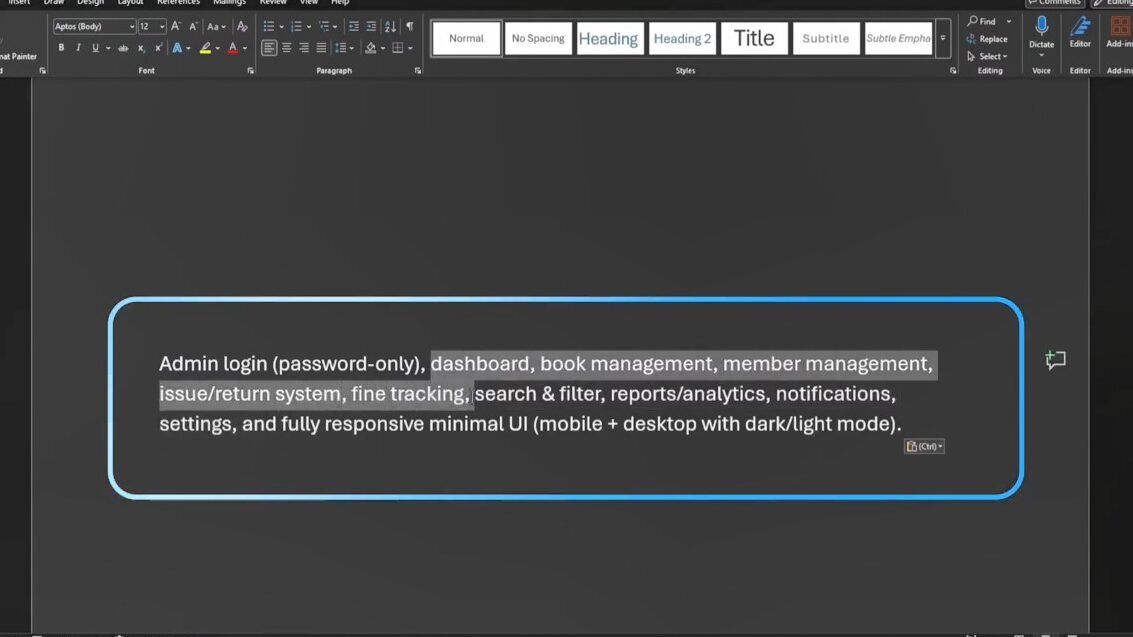
Before creating a website, make it clear what the main goal of your website is. Do you want to create a business website, a personal blog, a portfolio, or an e-commerce store? When you know your purpose clearly, you can write battery promises and get more accurate and relevant results than AI. In simple words, the clearer you are, the more perfect the website output will be.
Step 2: Sign Up and Access the Platform
Go to the Z.AI website, create your free account, and log in with Google. This platform offers a great free plan, where you can easily experiment and design your own professional website without investing any money—absolutely free.
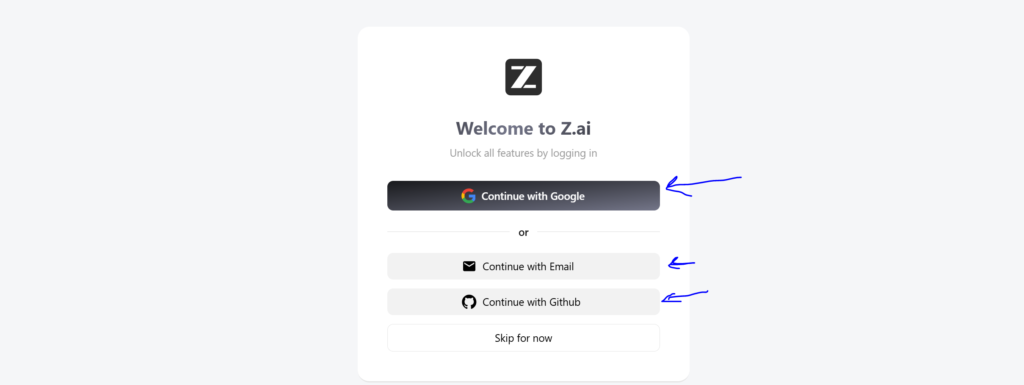
When you log in, you’ll see a main dashboard where you can start your new project. This is where you begin the process of creating your website.
Its interface is as simple as other AI tools like ChatGPT or Claude. You just need to enter simple prompts, and your final result is ready. As soon as you give the prompt, Z.AI automatically starts working and generates your website.
Step 3: Craft Your Initial Prompt
Whenever you want to create something with AI, the most important thing is writing a proper prompt. This determines the result—good or bad. Everything depends on your prompt.
Describe your ideal website in detail. Tell us about your business, who your target audience is, what type of design or style you prefer, and what specific features you want—such as a contact form, forum, gallery, blog section, login page—mention everything you want.
The more specific you are, the more accurate and high-quality results the AI will give you.
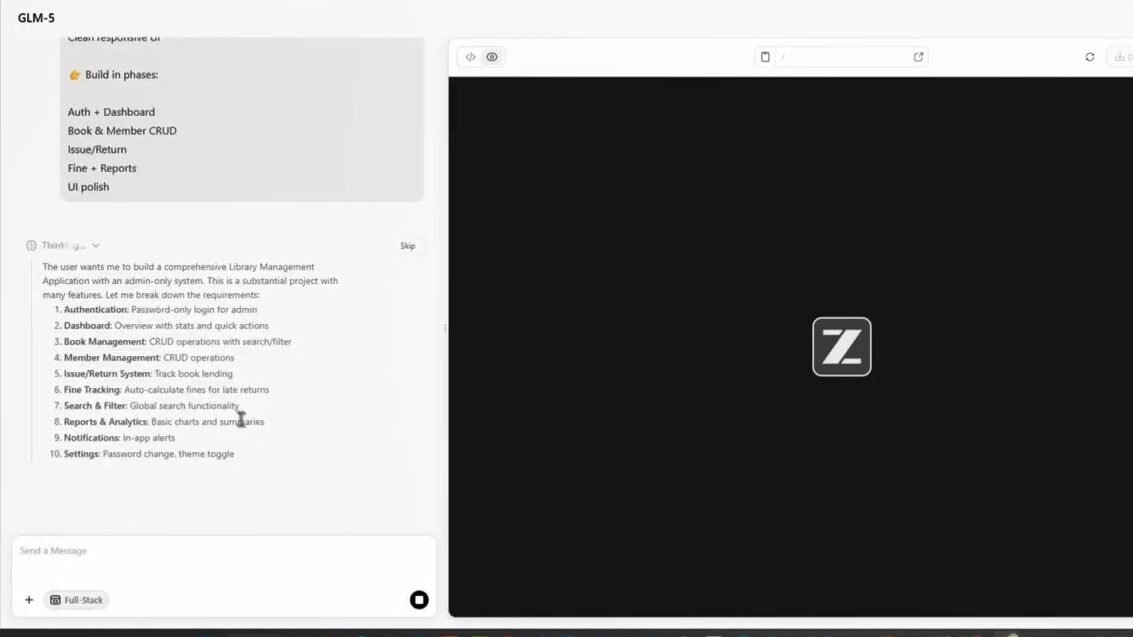
But remember one thing—don’t overcomplicate things. Explain your goal to the AI in a simple and clear way. This is the best way to write a strong and effective prompt.
We’ll discuss the remaining details later.
Step 4: Review and Refine
When the AI builds your website, take the time to review each section. Analyze your website thoroughly. Check the colors, fonts, images, or content for any responsive sections that may not meet your expectations.
Step 5: Add Your Content
Replace the placeholder content generated by AI with your own original text, images, and branding elements. This will make your website unique.
Pay special attention to your About page, service descriptions, and contact information—make sure to update them all. Add your own content to any items you feel need replacing and update them to make your website completely unique.
After that, start adding content to your website based on your specific niche. Make appropriate and specific changes where necessary.
Step 7: Publish Your Website
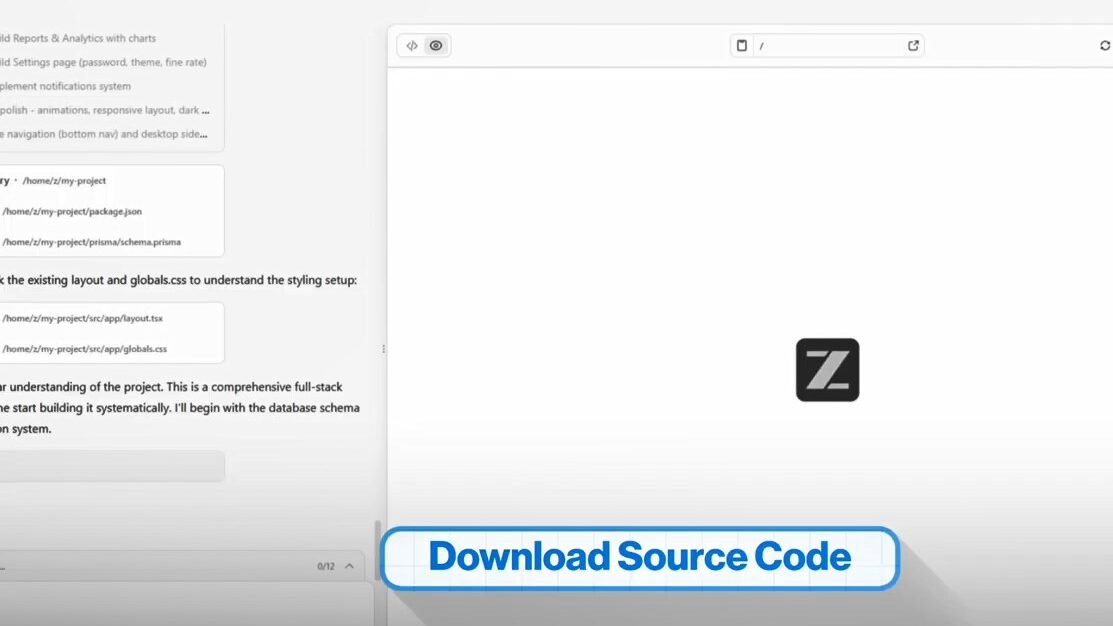
This is our most important step. Once you’re satisfied with your website’s design, you’ll see a Publish button on Z.AI.
Z.AI also provides free hosting.
However, if you prefer to host your website on your own, you’ll also get a download button. Download your website’s code from there.
Then go to your domain hosting where you purchased the hosting. You’ll find a File Manager option there. Go there and upload all your code to the public_html folder.
Your website will be live as soon as you do this.
See how easy it was to create an AI-generated website using Z.AI. With the help of this builder you can create a professional and premium website absolutely free.
How to Write Better Prompts for AI Website Creation
The quality of the website generated by AI depends largely on your prompts, and writing good prompts is a skill that improves with practice. Instead of giving random instructions, such as “Create a business website,” always clearly specify your industry, such as “Create a professional website for a beauty boutique or digital marketing agency serving small businesses in the healthcare sector,” as this helps the AI choose the right imagery, tone, and layout.
You should also clearly describe your target audience—their demographics, their pain points, and what they want to achieve by visiting your website—so that the AI can create more user-focused designs and content.
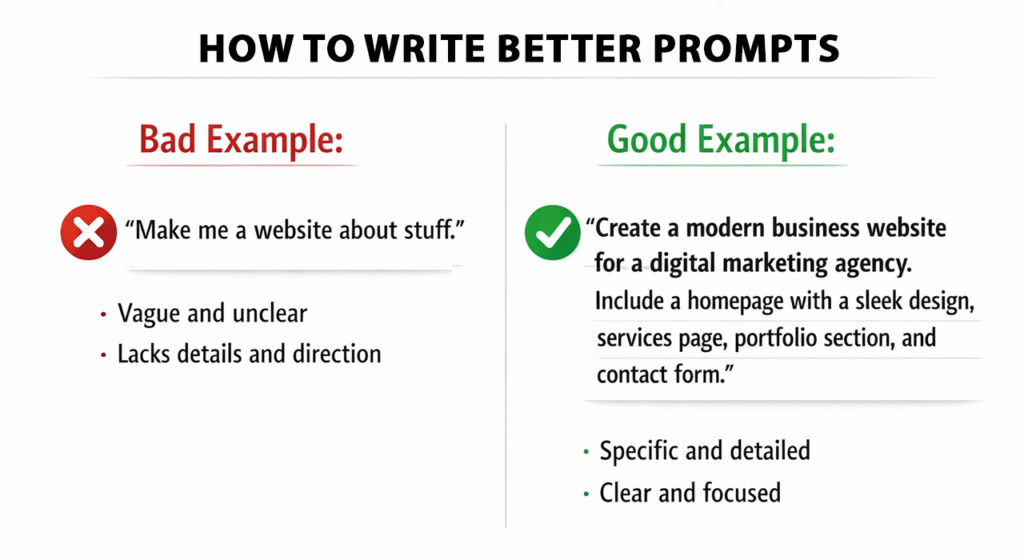
If you have a design preference, such as a minimalist style, bold colors, or a professional corporate look, mention it clearly so that the AI can create a website according to your vision.
Also, include all required features, such as a contact page, booking system, e-commerce functionality, a blog section, or a job listing feature (if you’re building a job website), in your prompt so that everything is generated correctly from the start.
If you take a little extra time to refine your prompt, you can save hours of editing and revisions later. For example, if a client wants a website for a yoga studio, a simple prompt will often yield a generic result. But when you add details to the prompt, like a prenatal yoga focus, calming brand colors, and class scheduling integration, the AI generates a nearly perfect website with very few changes needed.
The more you work, the more you’ll learn which prompts work best and how you can easily create your desired website.
How to Make Money with AI-Generated Websites
You can also earn online income by building a website with a free AI website builder. Whether you want to create a website for your own business or offer web design services to others – because its interface is simple and anyone can easily get started.
The best way to do this is to provide a service as a freelancer as an AI website builder. This way you can earn money quickly through AI website builder skills.
- How to Create Your Own Website Using AI
- How to Get Your First Order on Fiverr
- How I Make Money As a Writer
You can also start your own web design agency with the help of an AI website builder, where AI handles the technical work and you understand the client’s requirements, write effective prompts, and provide them with additional value through marketing insights and content optimization.
Additionally, you can create websites for specific niches and sell them as ready-made solutions, as many local businesses and entrepreneurs prefer to have a ready-made website that they can customize later rather than building one from scratch.
You can also create affiliate marketing websites where, with the help of AI, you quickly create a content-rich site, add affiliate links to relevant products and services, and generate income through organic traffic. This takes a little time, but is a very good method in the long run.
Also, you can offer website maintenance services, as many businesses and companies require regular updates, security, and SEO optimization. You can position yourself as a maintenance expert who keeps AI-generated websites always updated, secure, and optimized.
Can AI Build a Complete Startup Website or SaaS App?
Many bloggers ask whether a complete startup website or even a SaaS app can be built with the help of AI.
The simple answer is yes.
With the help of Z.AI, you can write code for your app or any SaaS website and create your business/SaaS website easily, without any issue. If you want to develop an app from your own code, just give your prompt to the AI, When you satisy with result then download the code which AI generates and check the result. After downloading the code, you can go to Android Studio, select the settings according to the app type and create your app.
AI website builders are very strong in creating marketing websites, landing pages, and informational sites. They easily create impressive frontends that showcase your products and help convert visitors into customers.
But when it comes to building a full SaaS application, backend functionality, databases, APIs, and complex business logic are required. Normal AI website builders don’t work well here, but Z.AI performs better. It creates all of this for you for free. Some things AI can’t do well, and what it can do are paid features, but with GLM Flow you get all of this for free.
That’s why I recommend using Z.AI – it’s a very advanced AI website builder.
Will AI Replace Web Developers in the Future?
AI website builders are getting smarter every day, and many people wonder if they will completely replace web developers in the future. The truth is that AI can make developers’ work faster and easier. AI website builders speed up many tasks, such as generating code, designing websites, or automatically creating prototypes. Website builder code generators and AI Website Builders can build websites and apps much faster than before.
However, AI cannot yet fully replace human creativity, problem-solving, and decision-making. Complex business logic, custom features, client communication, and understanding the user experience are areas where human developers are still important. In the future, AI will increasingly act as a powerful assistant, creating everything from business websites to personal blogs. However, if the code written by AI ever makes errors or the project grows, you may have to spend more tokens and purchase larger plans, which may not be ideal for the budget. Therefore, a real developer who can understand things properly will always be needed.
Yes, AI can replace beginner developers who only do small tasks—like simple apps or small side projects. But for those who are complete web developers, their future is secure. Companies, entrepreneurs, and clients will always want skilled web developers.
If you think you can be replaced, improve your skills further. Learn new things and explore different opportunities in the field. Instead of thinking AI will take your job, make AI your partner. Today, even clients say, “I want to build a website, let’s use AI to build it.” It’s cheaper for them, and we complete the work with AI’s help.
Some developers won’t learn AI, thinking it will take their jobs. However, skilled developers can boost their productivity by using AI tools. The combination of human skills and AI tools produces the best results.
Therefore, the future of web development lies in the collaboration of humans and AI, not in their replacement.
Frequently Asked Questions
How long does it take to build a website with AI?
Most AI-generated websites take between fifteen minutes to two hours from start to finish. Simple sites with basic pages can go live in under thirty minutes. More complex projects with custom content, multiple pages, and specific integrations typically take a few hours. Compare this to traditional development, which often spans weeks or months.
Is an AI-generated website safe and reliable?
AI-generated websites use the same underlying technologies as traditionally built sites. They run on secure hosting platforms, use HTTPS encryption, and follow web standards. The reliability depends on your hosting provider and how well you maintain the site. Regular updates and security best practices keep your AI-generated website as safe as any other.
Can AI create a WordPress website automatically?
Some AI tools specifically target WordPress, generating themes and content that work within the WordPress ecosystem. Z.AI and similar platforms often offer WordPress export options. However, the level of automation varies. You may need to handle WordPress-specific configurations and plugin installations separately.
How to build an app using AI for free?
Several platforms offer free tiers for AI app development. Tools like Glide, Adalo, and Bravo Studio let you create functional apps without coding. For websites that function like apps, Z.AI and similar builders provide progressive web app capabilities. Keep in mind that free tiers usually have limitations on features, storage, or branding.
What are the best AI tools for website creation?
Beyond Z.AI, excellent options include Wix ADI, Bookmark, Zyro, and Jimdo Dolphin. Each has strengths: Wix offers extensive customization, Bookmark focuses on speed, Zyro provides AI content generation, and Jimdo emphasizes simplicity. Your choice depends on your specific needs, technical comfort level, and budget.
Can I build a website for free using AI?
Yes, many AI website builders offer free plans that let you create functional websites. Free plans typically include the builder’s branding and limit features like custom domains, storage, or e-commerce capabilities. For personal projects, testing ideas, or learning the technology, free plans work wonderfully. Business users often upgrade for professional features.
Final Thoughts
Today’s article is very important because I’ve noticed that most major websites talk about AI website builders that are mostly paid – meaning they require a subscription. But Z.AI is completely free. It gives you the power to create any type of website without any subscription. That’s why I’ve shared this tool with you in today’s article.
Many people still don’t realize how much power this tool offers. If you’re creative and have an idea, you can build a powerful business website from your idea and bring it online without any technical skills or coding knowledge.
This has the biggest advantage for those who are creative, run small businesses, or those who don’t have a budget but still want to build an online presence and keep costs low.
If you want to build your own website, you can use an AI website builder like ZDT AI. Today, AI makes it possible to build websites that were previously difficult due to expensive development costs.
But remember one important thing—AI is just a tool, not a magic solution. Proper planning, quality content, and regular optimization are still essential to building a great website. AI handles the technical work, but you have to provide the strategy, creativity, and unique ideas yourself—that’s what makes your website truly valuable.
When you start your website journey, don’t chase perfection. Launch your site first, then gather user feedback and keep improving based on it. AI gives you a strong starting point, but long-term success always comes from continuous improvement.
I recommend trying Z.AI or another AI website builder today. If you have the time and want to learn properly, definitely try WordPress – it lets you build your own website without coding and gives you complete control.
Start with a simple project, try different prompts, and test different approaches to see which method works best.
If you’re ready to start building a website, be sure to share your experience in the comments. Also, let us know how you found this article and how valuable it was. If you have any questions, please ask—I’ll definitely answer.
And if you found this article helpful, be sure to share it with your friends or community so others can start their online journey without coding.

Ghulam Muhiudeen is a passionate blogger, SEO specialist, and online earning expert. He started his career with freelancing and provided content writing and website designing services on Fiverr from 2022 to 2024. During this time, he experienced firsthand the market’s intense competition, algorithm changes, and inconsistent income.